
Welcome to Scripts.com!
Scripts.com is a huge collection of movie scripts, screenplays and transcripts from famous and not-so-famous screen writers from around the world — collaboratively published by amateur script writers and contributing editors.
Navigate through our scripts database alphabetically or simply search by keywords. You can submit a new script, discuss and rate existing scripts, and even translate pieces to many common and not-so-common languages.
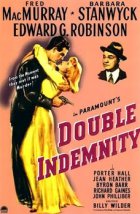
- Year:
- 1944
- 853,508 Views
FADE IN:
A-1 LOS ANGELES - A DOWNTOWN INTERSECTION
It is night, about two o'clock, very light traffic.
At the left and in the immediate foreground a semaphore
traffic signal stands at GO. Approaching it at about thirty
miles per hour is a Dodge 1938 coupe. It is driven erratically
and weaving a little, but not out of control.
When the car is about forty feet away, the signal changes to
STOP. Car makes no attempt to stop but comes on through.
A-2 A LIGHT NEWSPAPER TRUCK
is crossing the intersection at right angles. It swerves and
skids to avoid the Dodge, which goes on as though nothing
had happened. The truck stops with a panicky screech of tires.
There is a large sign on the truck: "READ THE LOS ANGELES
TIMES". The truck driver's infuriated face stares after the
coupe.
A-3 THE COUPE
continues along the street, still weaving, then slows down
and pulls over towards the curb in front of a tall office
building.
A-4 THE COUPE
stops. The headlights are turned off. For a second nothing
happens, then the car door opens slowly. A man eases himself
out onto the sidewalk and stands a moment leaning on the
open door to support himself. He's a tall man, about thirty-
five years old. From the way he moves there seems to be
something wrong with his left shoulder.
He straightens up and painfully lowers his left hand into
his jacket pocket. He leans into the car. He brings out a
light-weight overcoat and drapes it across his shoulders. He
Translation
Translate and read this script in other languages:
Select another language:
- - Select -
- 简体中文 (Chinese - Simplified)
- 繁體中文 (Chinese - Traditional)
- Español (Spanish)
- Esperanto (Esperanto)
- 日本語 (Japanese)
- Português (Portuguese)
- Deutsch (German)
- العربية (Arabic)
- Français (French)
- Русский (Russian)
- ಕನ್ನಡ (Kannada)
- 한국어 (Korean)
- עברית (Hebrew)
- Gaeilge (Irish)
- Українська (Ukrainian)
- اردو (Urdu)
- Magyar (Hungarian)
- मानक हिन्दी (Hindi)
- Indonesia (Indonesian)
- Italiano (Italian)
- தமிழ் (Tamil)
- Türkçe (Turkish)
- తెలుగు (Telugu)
- ภาษาไทย (Thai)
- Tiếng Việt (Vietnamese)
- Čeština (Czech)
- Polski (Polish)
- Bahasa Indonesia (Indonesian)
- Românește (Romanian)
- Nederlands (Dutch)
- Ελληνικά (Greek)
- Latinum (Latin)
- Svenska (Swedish)
- Dansk (Danish)
- Suomi (Finnish)
- فارسی (Persian)
- ייִדיש (Yiddish)
- հայերեն (Armenian)
- Norsk (Norwegian)
- English (English)
Citation
Use the citation below to add this script to your bibliography:
Style:MLAChicagoAPA
"Scripts.com" Scripts.com. STANDS4 LLC, 2024. Web. 26 Apr. 2024. <https://www.scripts.com/>.











Discuss everything about Scripts.com with the community:
Report Comment
We're doing our best to make sure our content is useful, accurate and safe.
If by any chance you spot an inappropriate comment while navigating through our website please use this form to let us know, and we'll take care of it shortly.
Attachment
You need to be logged in to favorite.
Log In