
Welcome to Scripts.com!
Scripts.com is a huge collection of movie scripts, screenplays and transcripts from famous and not-so-famous screen writers from around the world — collaboratively published by amateur script writers and contributing editors.
Navigate through our scripts database alphabetically or simply search by keywords. You can submit a new script, discuss and rate existing scripts, and even translate pieces to many common and not-so-common languages.
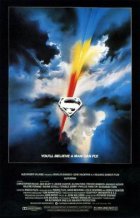
- Year:
- 1978
- 856,572 Views
FADE IN:
EXT. STREET - METROPOLIS - NIGHT
CLOSE ON a crumpled piece of rubbish lying in the gutter. It is flattened by the wheel of a pushcart. CAMERA PULLS BACK: we SEE a street in a city neighborhood still fighting its way out of The Depression. KIDS play stickball, PEOPLE stand about, out-of-work MEN recline on tenement stoops .
Over this SUPERIMPOSE: METROPOLIS 1938
CAMERA TRACKS UP past a boarded-up store window with a "For Rent" sign on it, PAST trash cans being investigated by foraging dogs, PAST the stoop of brownstone where some care has been taken to keep things clean, PAST the parlor floor where an undershirted MAN argues with a bathrobed WOMAN, PAST the second Floor windows where a YOUNG COUPLE bend over a crib, shaking a rattle and cooing at a new-born BABY wrapped in a pink blanket, UP PAST the roof of the brownstone, higher and higher, PAST the distant skyscrapers: the Chrysler Building, the Fuller building, the great- neon globe symbol atop the Daily Planet Building.
2EXT. SKY - NIGHT - ANGLE on DAILY PLANET
CAMERA LOOKS DOWN on the Daily Planet Globe. The only sound is the wind. CAMERA TILTS toward the star-filled sky and the full moon, then TAKES OFF.
3EXT. SPACE
CAMERA SPEEDS through the heavens past the moon, through the Universe, traveling on, gathering speed, further and further through the limitless void until it bursts through into another Galaxy.
A miniscule RED DOT appears, growing larger, spreading evenly into a BLAZING SUN, which fills the SCREEN. The fiery' red SUN now grows smaller as we fall through space and see beyond it - the planet Krypton. As CAMERA CONTINUES toward Krypton, we see satellites, spacecraft, and Krypton's two distinct hemispheres. CAMERA HOLDS, PEERS DOWN at the city of Kryptonopolis.

Translation
Translate and read this script in other languages:
Select another language:
- - Select -
- 简体中文 (Chinese - Simplified)
- 繁體中文 (Chinese - Traditional)
- Español (Spanish)
- Esperanto (Esperanto)
- 日本語 (Japanese)
- Português (Portuguese)
- Deutsch (German)
- العربية (Arabic)
- Français (French)
- Русский (Russian)
- ಕನ್ನಡ (Kannada)
- 한국어 (Korean)
- עברית (Hebrew)
- Gaeilge (Irish)
- Українська (Ukrainian)
- اردو (Urdu)
- Magyar (Hungarian)
- मानक हिन्दी (Hindi)
- Indonesia (Indonesian)
- Italiano (Italian)
- தமிழ் (Tamil)
- Türkçe (Turkish)
- తెలుగు (Telugu)
- ภาษาไทย (Thai)
- Tiếng Việt (Vietnamese)
- Čeština (Czech)
- Polski (Polish)
- Bahasa Indonesia (Indonesian)
- Românește (Romanian)
- Nederlands (Dutch)
- Ελληνικά (Greek)
- Latinum (Latin)
- Svenska (Swedish)
- Dansk (Danish)
- Suomi (Finnish)
- فارسی (Persian)
- ייִדיש (Yiddish)
- հայերեն (Armenian)
- Norsk (Norwegian)
- English (English)
Citation
Use the citation below to add this script to your bibliography:
Style:MLAChicagoAPA
"Scripts.com" Scripts.com. STANDS4 LLC, 2024. Web. 19 Apr. 2024. <https://www.scripts.com/>.













Discuss everything about Scripts.com with the community:
Report Comment
We're doing our best to make sure our content is useful, accurate and safe.
If by any chance you spot an inappropriate comment while navigating through our website please use this form to let us know, and we'll take care of it shortly.
Attachment
You need to be logged in to favorite.
Log In