
Welcome to Scripts.com!
Scripts.com is a huge collection of movie scripts, screenplays and transcripts from famous and not-so-famous screen writers from around the world — collaboratively published by amateur script writers and contributing editors.
Navigate through our scripts database alphabetically or simply search by keywords. You can submit a new script, discuss and rate existing scripts, and even translate pieces to many common and not-so-common languages.
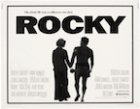
- Year:
- 1976
- 857,298 Views
INT. BLUE DOOR FIGHT CLUB - NIGHT
SUPERIMPOSE OVER ACTION... "NOVEMBER 12, 1975 - PHILADELPHIA"
... The club itself resembles a large unemptied trash-can.
The boxing ring is extra small to insure constant battle.
The lights overhead have barely enough wattage to see who is
fighting.
In the ring are two heavyweights, one white the other black.
The white fighter is ROCKY BALBOA. He is thirty years old.
His face is scarred and thick around the nose... His black
hair shines and hangs in his eyes. Rocky fights in a
plodding, machine-like style. The BLACK FIGHTER dances and
bangs combinations into Rocky's face with great accuracy.
But the punches do not even cause Rocky to blink... He grins
at his opponent and keeps grinding ahead.
The people at ringside sit on folding chairs and clamor for
blood... They lean out of their seats and heckle the fighters.
In the thick smoke they resemble spectres. Everyone is
hustling bets... The action is even heavier in the balcony.
A housewife yells for somebody to cover a two dollar bet.
The BELL RINGS and the fighters return to their corner...
Somebody heaves a beer can into the ring.
The Black Fighter spits something red in a bucket and sneers
across the ring at Rocky.
BLACK FIGHTER:
(to cornerman)
... I'm gonna bust his head
wide open!
In Rocky's corner he is being assisted by a shriveled,
balding CORNERMAN, who is an employee of the club... He
works on Rocky without any enthusiasm.
CORNERMAN:
(lackluster)
... Ya waltzin' -- Give the
suckers some action.
ROCKY:
Hey --

3 fans
Translation
Translate and read this script in other languages:
Select another language:
- - Select -
- 简体中文 (Chinese - Simplified)
- 繁體中文 (Chinese - Traditional)
- Español (Spanish)
- Esperanto (Esperanto)
- 日本語 (Japanese)
- Português (Portuguese)
- Deutsch (German)
- العربية (Arabic)
- Français (French)
- Русский (Russian)
- ಕನ್ನಡ (Kannada)
- 한국어 (Korean)
- עברית (Hebrew)
- Gaeilge (Irish)
- Українська (Ukrainian)
- اردو (Urdu)
- Magyar (Hungarian)
- मानक हिन्दी (Hindi)
- Indonesia (Indonesian)
- Italiano (Italian)
- தமிழ் (Tamil)
- Türkçe (Turkish)
- తెలుగు (Telugu)
- ภาษาไทย (Thai)
- Tiếng Việt (Vietnamese)
- Čeština (Czech)
- Polski (Polish)
- Bahasa Indonesia (Indonesian)
- Românește (Romanian)
- Nederlands (Dutch)
- Ελληνικά (Greek)
- Latinum (Latin)
- Svenska (Swedish)
- Dansk (Danish)
- Suomi (Finnish)
- فارسی (Persian)
- ייִדיש (Yiddish)
- հայերեն (Armenian)
- Norsk (Norwegian)
- English (English)
Citation
Use the citation below to add this script to your bibliography:
Style:MLAChicagoAPA
"Scripts.com" Scripts.com. STANDS4 LLC, 2024. Web. 24 Apr. 2024. <https://www.scripts.com/>.













Discuss everything about Scripts.com with the community:
Report Comment
We're doing our best to make sure our content is useful, accurate and safe.
If by any chance you spot an inappropriate comment while navigating through our website please use this form to let us know, and we'll take care of it shortly.
Attachment
You need to be logged in to favorite.
Log In