
Welcome to Scripts.com!
Scripts.com is a huge collection of movie scripts, screenplays and transcripts from famous and not-so-famous screen writers from around the world — collaboratively published by amateur script writers and contributing editors.
Navigate through our scripts database alphabetically or simply search by keywords. You can submit a new script, discuss and rate existing scripts, and even translate pieces to many common and not-so-common languages.
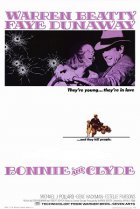
- Year:
- 1967
- 852,997 Views
FADE IN.
INT. BEDROOM. CLOSE-UP OF BONNIE PARKER. DAY
Blonde, somewhat fragile, intelligent in expression. She is
putting on make-up with intense concentration and
appreciation, applying lipstick and eye make-up. As the
camera slowly pulls back from the closeup we see that we
have been looking into a mirror. She is standing before the
full-length mirror in her bedroom doing her make-up. She
overdoes it in the style of the time: rosebud mouth and so
forth. As the film progresses her make-up will be refined
until, at the end, there is none.
The camera pulls back and continues to move very slowly
throughout the first part of this scene. As the camera
continues to move away, we see, by degrees, that BONNIE is
naked. Her nudity is never blatantly revealed to the
audience, but implied. That is, she should be "covered" in
various ways from the camera's P.O.V., but the audience must
be aware of her exposure to CLYDE later in the scene. This
is the only time in the film that she will ever be this
exposed, in all senses of the word, to the audience. Her
attitude and appraisal of herself here are touched with
narcissism.
The bedroom itself is a second-story bedroom in a lower-
class frame house in West Dallas, Texas. The neighborhood
is low income. Though the room reveals its shabby
surroundings, it also reveals an attempt by BONNIE to fix it
up. Small and corny objets d'art are all over the tops of
the bureaus, vanity tables, etc. (Little glass figurines and
porcelain statuettes and the like.)

Translation
Translate and read this script in other languages:
Select another language:
- - Select -
- 简体中文 (Chinese - Simplified)
- 繁體中文 (Chinese - Traditional)
- Español (Spanish)
- Esperanto (Esperanto)
- 日本語 (Japanese)
- Português (Portuguese)
- Deutsch (German)
- العربية (Arabic)
- Français (French)
- Русский (Russian)
- ಕನ್ನಡ (Kannada)
- 한국어 (Korean)
- עברית (Hebrew)
- Gaeilge (Irish)
- Українська (Ukrainian)
- اردو (Urdu)
- Magyar (Hungarian)
- मानक हिन्दी (Hindi)
- Indonesia (Indonesian)
- Italiano (Italian)
- தமிழ் (Tamil)
- Türkçe (Turkish)
- తెలుగు (Telugu)
- ภาษาไทย (Thai)
- Tiếng Việt (Vietnamese)
- Čeština (Czech)
- Polski (Polish)
- Bahasa Indonesia (Indonesian)
- Românește (Romanian)
- Nederlands (Dutch)
- Ελληνικά (Greek)
- Latinum (Latin)
- Svenska (Swedish)
- Dansk (Danish)
- Suomi (Finnish)
- فارسی (Persian)
- ייִדיש (Yiddish)
- հայերեն (Armenian)
- Norsk (Norwegian)
- English (English)
Citation
Use the citation below to add this script to your bibliography:
Style:MLAChicagoAPA
"Scripts.com" Scripts.com. STANDS4 LLC, 2024. Web. 25 Apr. 2024. <https://www.scripts.com/>.












Discuss everything about Scripts.com with the community:
Report Comment
We're doing our best to make sure our content is useful, accurate and safe.
If by any chance you spot an inappropriate comment while navigating through our website please use this form to let us know, and we'll take care of it shortly.
Attachment
You need to be logged in to favorite.
Log In