
Welcome to Scripts.com!
Scripts.com is a huge collection of movie scripts, screenplays and transcripts from famous and not-so-famous screen writers from around the world — collaboratively published by amateur script writers and contributing editors.
Navigate through our scripts database alphabetically or simply search by keywords. You can submit a new script, discuss and rate existing scripts, and even translate pieces to many common and not-so-common languages.
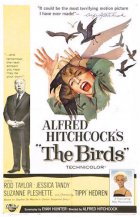
- Year:
- 1963
- 856,890 Views
FADE IN:
FULL SHOT - GRANT STREET - SAN FRANCISCO - DAY
It is mid-afternoon, and there is a tempo and pace to the
people walking, the doorman HOOTING for taxicabs, the
policemen directing traffic.
PAN SHOT - PEDESTRIANS
waiting at street corner for light to change.
CLOSE SHOT - MAN
at the end of line of pedestrians. He is looking up at the
sky.
TWO SHOT - MAN AND WOMAN NEXT TO HIM
as she follows his gaze upward.
with hundreds of gulls in it, wheeling.
MED. SHOT - THE STREET CORNER
as the light changes and people begin to cross. In the crowd
walking the other way, a man turns to look up at the wheeling
gulls in the sky overhead. The CAMERA LOCATES:
MED. SHOT - MELANIE DANIELS
in the crowd of pedestrians, approaching Davidson's Pet Shop.
She is a young woman in her mid-twenties, sleekly groomed,
exquisitely dressed, though hatless. She walks with the quick
sureness of the city dweller, a purposefulness in her stride,
a mischievous grin on her face. She continues toward the
front door of a pet shop and enters.
INT. BIRD SHOP - MED. SHOT
Melanie opens the door and comes through, still looking back
toward the street and skywards. The proprietor, a MRS.
MacGRUDER, comes toward her.
MELANIE:
Hello, Mrs. MacGruder, have you ever
seen so many gulls?
MRS. MACGRUDER
Hello, Miss Daniels.
MELANIE:
What do you suppose it is?
MED. SHOT
Mrs. MacGruder takes a look out at the sky. A puppy is
BARKING, o.s.
MRS. MACGRUDER
(shaking her head)
There must be a storm at sea. That
can drive them inland, you know.

Translation
Translate and read this script in other languages:
Select another language:
- - Select -
- 简体中文 (Chinese - Simplified)
- 繁體中文 (Chinese - Traditional)
- Español (Spanish)
- Esperanto (Esperanto)
- 日本語 (Japanese)
- Português (Portuguese)
- Deutsch (German)
- العربية (Arabic)
- Français (French)
- Русский (Russian)
- ಕನ್ನಡ (Kannada)
- 한국어 (Korean)
- עברית (Hebrew)
- Gaeilge (Irish)
- Українська (Ukrainian)
- اردو (Urdu)
- Magyar (Hungarian)
- मानक हिन्दी (Hindi)
- Indonesia (Indonesian)
- Italiano (Italian)
- தமிழ் (Tamil)
- Türkçe (Turkish)
- తెలుగు (Telugu)
- ภาษาไทย (Thai)
- Tiếng Việt (Vietnamese)
- Čeština (Czech)
- Polski (Polish)
- Bahasa Indonesia (Indonesian)
- Românește (Romanian)
- Nederlands (Dutch)
- Ελληνικά (Greek)
- Latinum (Latin)
- Svenska (Swedish)
- Dansk (Danish)
- Suomi (Finnish)
- فارسی (Persian)
- ייִדיש (Yiddish)
- հայերեն (Armenian)
- Norsk (Norwegian)
- English (English)
Citation
Use the citation below to add this script to your bibliography:
Style:MLAChicagoAPA
"Scripts.com" Scripts.com. STANDS4 LLC, 2024. Web. 25 Apr. 2024. <https://www.scripts.com/>.











Discuss everything about Scripts.com with the community:
Report Comment
We're doing our best to make sure our content is useful, accurate and safe.
If by any chance you spot an inappropriate comment while navigating through our website please use this form to let us know, and we'll take care of it shortly.
Attachment
You need to be logged in to favorite.
Log In