
Welcome to Scripts.com!
Scripts.com is a huge collection of movie scripts, screenplays and transcripts from famous and not-so-famous screen writers from around the world — collaboratively published by amateur script writers and contributing editors.
Navigate through our scripts database alphabetically or simply search by keywords. You can submit a new script, discuss and rate existing scripts, and even translate pieces to many common and not-so-common languages.
- Year:
- 2015
- 853,478 Views
I/E. GROVE / UNDRESSING ROOM / PASSAGE - MORNING
IN A GROVE:
Trees.
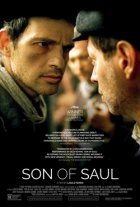
A gentle warm light shines on the face of a 40 year-old
looking man, as he walks in what seems to be a grove.
His name is SAUL AUSLANDER. He wears a white shirt under his +
dark jacket, with a half-hidden number on it: B-7005. On the +
back of his jacket, a red X is painted. He wears a flat +
civilian hat. He walks with determination, at a regular pace,
his lips tight. The trees around give some shelter from the
sun, birds sing amidst the branches.
He stops for a while and glances around, at some older people
around taking off their heavy winter coats, sitting on the
grass. The voices of children, calling for water, can be
heard. A YOUNG BOY stands on the side, carrying a water can. +
Sounds of branch cracking, of steps on the ground. Footsteps +
of many more people. Pieces of words can be heard, in a
continuous humming of different voices and languages.
Behind Saul, children play. Someone comes to him and talks to
him, he mumbles something, looks away and moves on.
Four other SONDERKOMMANDO PRISONERS pass Saul by. They all +
start instructing the civilians to get up and leave. The +
civilians are gathered in rows of 5, and pushed to the road. +
Three SOLDIERS appear on the side, waiting. +
Orders are shouted and the group starts advancing on the
The Sonderkommando prisoners accompany the civilians who +
carry suitcases, bundles, cans and other objects. Some people +
carry infants. We only catch glimpses of some of the faces +
and clothes. These are weary, slightly disorientated faces, +
most of them in dark-colored heavy clothes. +

Translation
Translate and read this script in other languages:
Select another language:
- - Select -
- 简体中文 (Chinese - Simplified)
- 繁體中文 (Chinese - Traditional)
- Español (Spanish)
- Esperanto (Esperanto)
- 日本語 (Japanese)
- Português (Portuguese)
- Deutsch (German)
- العربية (Arabic)
- Français (French)
- Русский (Russian)
- ಕನ್ನಡ (Kannada)
- 한국어 (Korean)
- עברית (Hebrew)
- Gaeilge (Irish)
- Українська (Ukrainian)
- اردو (Urdu)
- Magyar (Hungarian)
- मानक हिन्दी (Hindi)
- Indonesia (Indonesian)
- Italiano (Italian)
- தமிழ் (Tamil)
- Türkçe (Turkish)
- తెలుగు (Telugu)
- ภาษาไทย (Thai)
- Tiếng Việt (Vietnamese)
- Čeština (Czech)
- Polski (Polish)
- Bahasa Indonesia (Indonesian)
- Românește (Romanian)
- Nederlands (Dutch)
- Ελληνικά (Greek)
- Latinum (Latin)
- Svenska (Swedish)
- Dansk (Danish)
- Suomi (Finnish)
- فارسی (Persian)
- ייִדיש (Yiddish)
- հայերեն (Armenian)
- Norsk (Norwegian)
- English (English)
Citation
Use the citation below to add this script to your bibliography:
Style:MLAChicagoAPA
"Scripts.com" Scripts.com. STANDS4 LLC, 2024. Web. 17 Apr. 2024. <https://www.scripts.com/>.













Discuss everything about Scripts.com with the community:
Report Comment
We're doing our best to make sure our content is useful, accurate and safe.
If by any chance you spot an inappropriate comment while navigating through our website please use this form to let us know, and we'll take care of it shortly.
Attachment
You need to be logged in to favorite.
Log In